Designing a Video Agent That Can Actually Make a Long Film
Bruce LiuNovember 202625 min read
Video models are now genuinely good. They create stunning, high-quality visuals, and the newest ones, such as Seedance 2.5 and MiniMax H3, can generate several shots, with cuts between them, in a single clip.
Yet making a whole film is still hard, even a one-minute one. Most people still work shot by shot. They generate images and clips on an infinite canvas such as Firefly Boards, FLORA, TapNow or LibTV, or in research tools such as VideOrigami that add a script and a scene planner, and then assemble the takes that work. Some hand the whole workflow to a coding agent such as Claude Code, or to the agents built into these tools.
Either way, the result tends to play like a slideshow.
If you try to make a one-minute film with Claude Code and a video model, you will quickly see the problem: the film doesn't look continuous. Each shot looks fine on its own, but the motion stops and restarts at every cut, nothing plans the pacing of the shots, and the same character looks different from shot to shot.
So the quality of each clip is no longer the bottleneck. The hard part is making the clips work together as one film, and today's video agents were not built for that. Their harnesses (the code that runs the agent and its tools) leave the film problems unsolved: planning and pacing the shots of a scene, keeping people, places and looks consistent, keeping motion continuous across cuts, and making the story flow from one scene to the next.
I have been working on these problems in Doki Agent. This post covers five parts: the four components that did most of the work of turning many clips into one coherent film, and the principle behind all of them. I believe any video agent needs them, however it is built:
- Definition System: how the agent tracks things that must look the same, and how it sets up each generation to keep them consistent.
- Shot Planning: how the agent splits a scene into video generations for the best continuity.
- Incremental Editing: how the agent applies a change to the film without regenerating everything from scratch.
- Review Loop: how the agent checks what it made and improves the film on its own.
- Describe, Don't Prescribe: how to instruct the agent, by describing how the models behave and what the film needs instead of prescribing rules.
All the examples come from Doki, with its actual prompts and code.
1. Definition System
Let's start with consistency. A long film has to keep its people, places, objects and visual style the same across dozens of generations. But image and video models remember nothing from one generation to the next. Each generation sees only its own prompt and a few reference images, so anything described only in words is drawn anew every time, and comes out different each time. The fix is a definition system: everything the film reuses is defined once, with a description and a reference image, and every shot refers to that definition instead of describing the item again. One habit in this section helped more than any other: giving each new image the scene's earlier shots as references.
Definitions
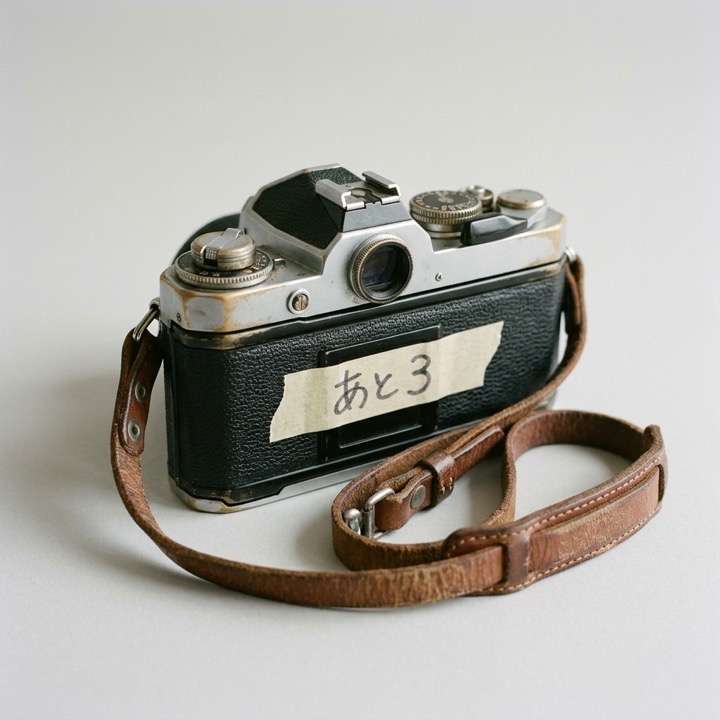
A definition has four parts: a type (character, place, object, or a look such as a style, a light or a camera move), a name that the script can refer to (written here with @, or with # for a look), a text description, and a reference image generated from that description. Here are two from a short film made in Doki:
Two definitions from a film made in Doki, translated from Japanese
Object@Camera=an old silver-and-black 35mm film SLR, a well-worn brown leather strap, and on its back a strip of masking tape with “3 left” written by hand
Character@Mio=a high-school senior, 17, a black bob to her chin, pale skin with cheeks red from the cold, shy and gentle eyes; a navy duffle coat over a navy blazer and a gray check skirt, black tights, brown snow boots, a red knit scarf and red mittens
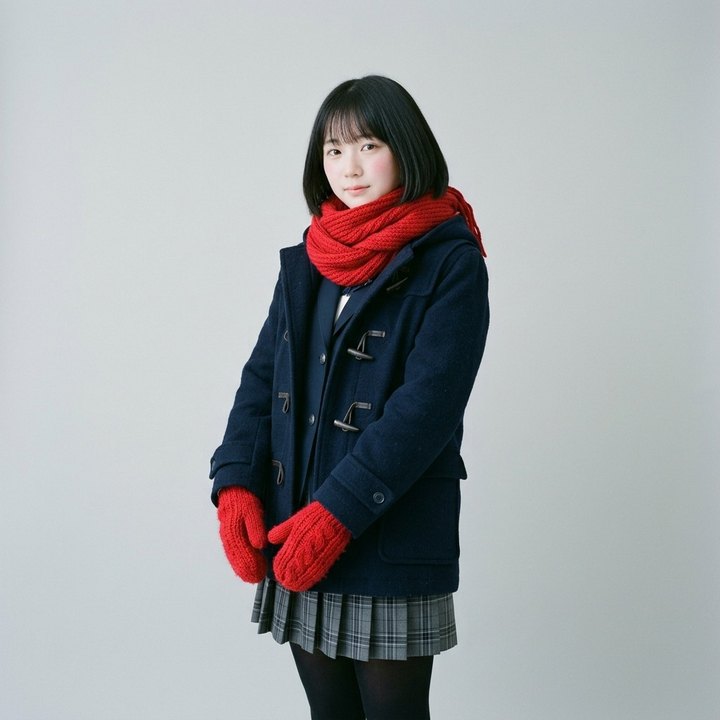
Every shot that references @Camera is generated with its reference image, so the camera looks the same in every shot. Most of the consistency comes from that image. The description still matters, because it is what the image is generated from.
What gets a definition
The first question is what deserves a definition. The answer is anything that appears more than once and should look the same, however small or plain. A coin, a takeout bag or a scarf without a definition is redrawn from its words in every shot, and comes out different each time. It is tempting to let the agent decide which items matter, but it tends to skip the small ones. So instead, tell it how the models behave:
Doki's agent prompt
A definition can have its own reference shot [...]: an image of it that the shots using the tag are made with, which keeps it looking the same from shot to shot. Without one, they get only its text, and each picture draws it anew [...]: the same words come out as a different face, outfit, place or object each time, however small or plain it is. [...] So whatever is seen more than once and should look the same each time - someone, a place, a vehicle, a prop
- gets a definition with a reference shot.
A reference image also locks in everything it shows. If a shop's reference shows its outside, every shot that uses it is pulled toward an outside view, even a shot set inside the shop. So the shop's interior needs a definition of its own, and so do a costume from another period and anything a character transforms into.
Scoping
The next question is where each definition applies. The visual style should hold in every shot, the weather of one sequence only in that sequence, and a camera move only in a single shot. So, much like style rules in CSS, every definition has a scope. A film-wide definition applies to every shot without being referenced, and holds what the whole film shares, such as its look, lighting and mood. A definition attached to one part of the film, such as an act or a sequence, applies to every shot in that part, and to nothing outside it. And a definition referenced in a shot applies to that shot alone.
Two rules keep scopes predictable. First, a definition applies only where it is referenced or scoped, no matter where in the script it is written. Second, scopes add up instead of overriding one another. A shot with its own style still gets the film-wide style, so the local choice refines the shared look instead of replacing it.
Resolving a shot
Definitions can also depend on one another. A photo of a character on a train platform, for example, depends on both the character and the platform. So before generating a shot, the agent has to collect not only the definitions the shot references, but also the ones those depend on. Together, the references form a dependency graph, and resolving a shot means walking that graph. In the shot below, a close-up of three photos on a shop counter, each photo is a definition that references others:
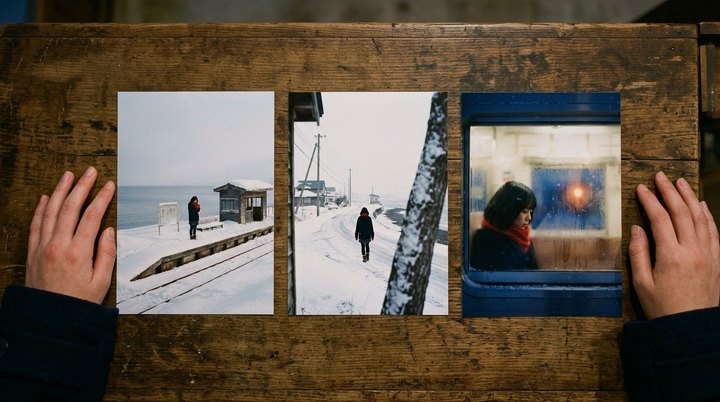
Overhead close-up of @PhotoShop’s counter: the last three photos, @PlatformPhoto, @RoadPhoto and @WindowPhoto.
8+ #ALL, in every shot
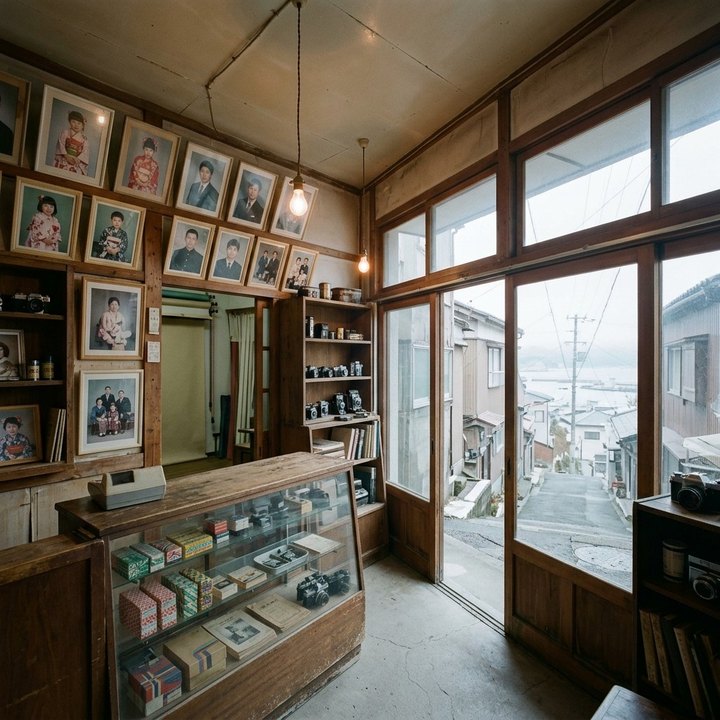
@PhotoShop
@PlatformPhoto
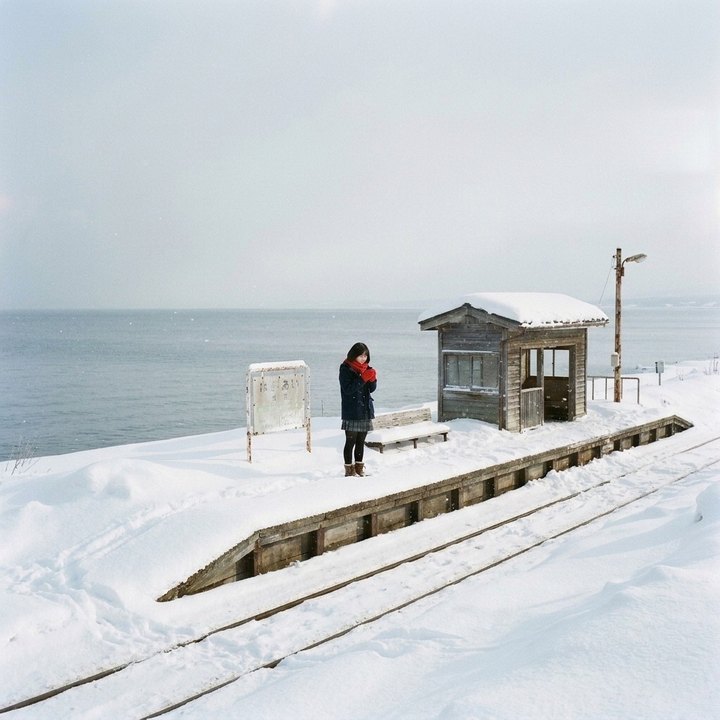
@Mio on the @Platform
@RoadPhoto
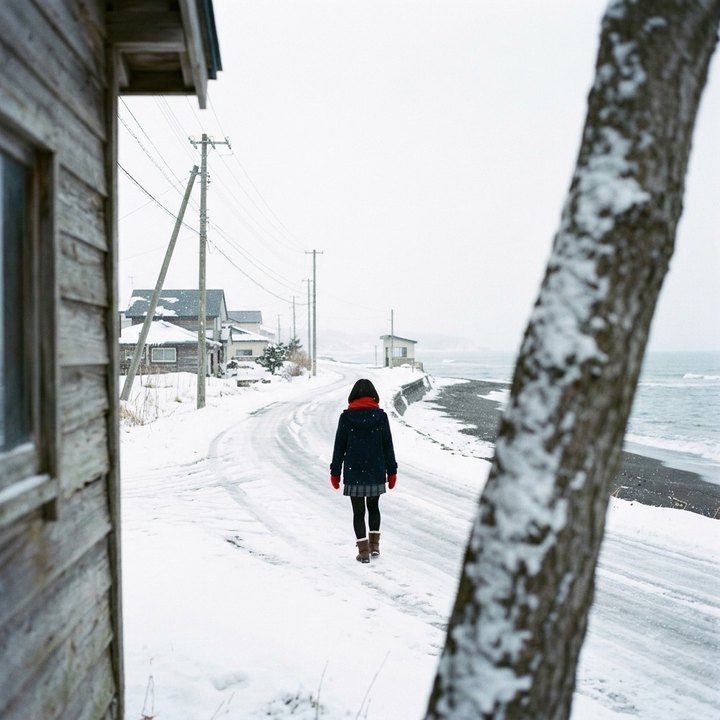
@Mio on a snowy road
@WindowPhoto
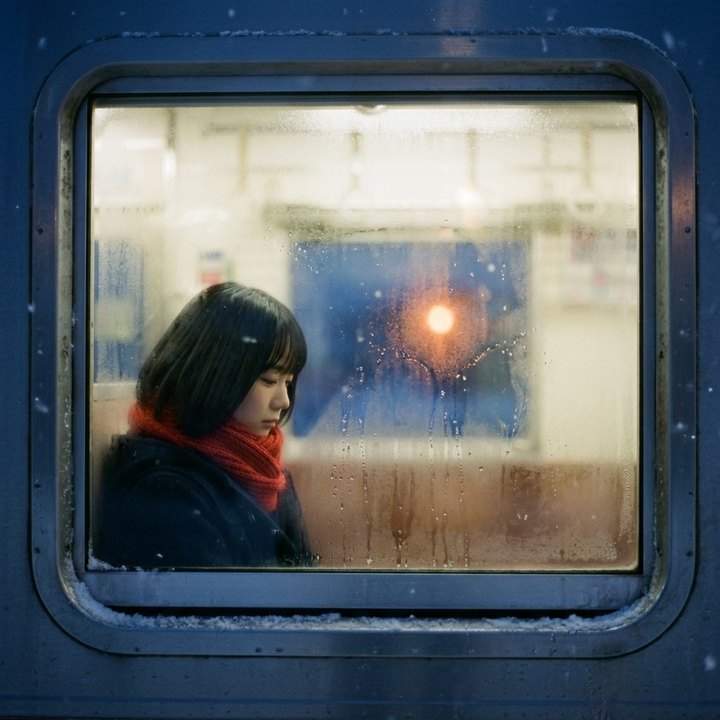
@Mio on a train, #BlueHour
@Platform
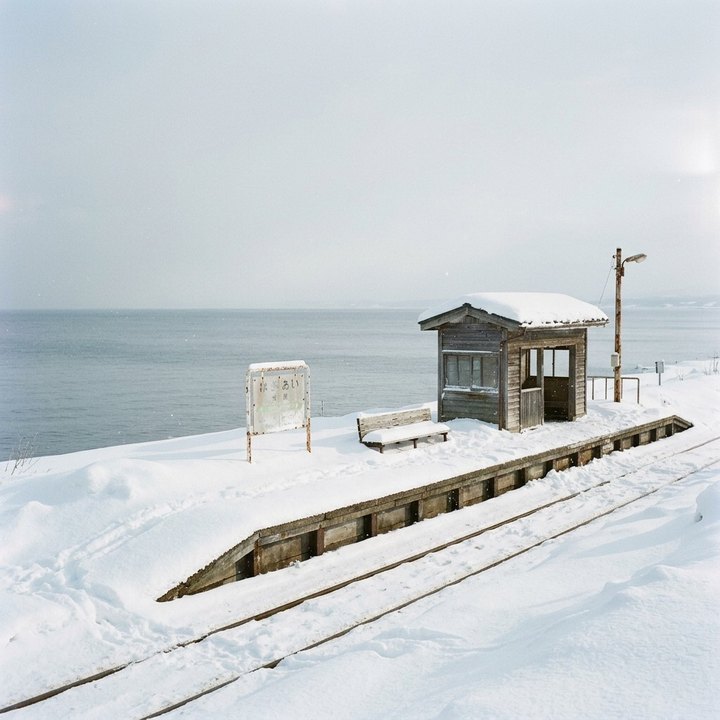
@Mio
#BlueHour
The prompt’s definitions
- 1@PhotoShop=
- 2@Mio=
- 3@Platform=
- 4@PlatformPhoto=
- 5@RoadPhoto=
- 6#BlueHour=
- 7@WindowPhoto=
- 8#ALL=
Its images
The scene so far
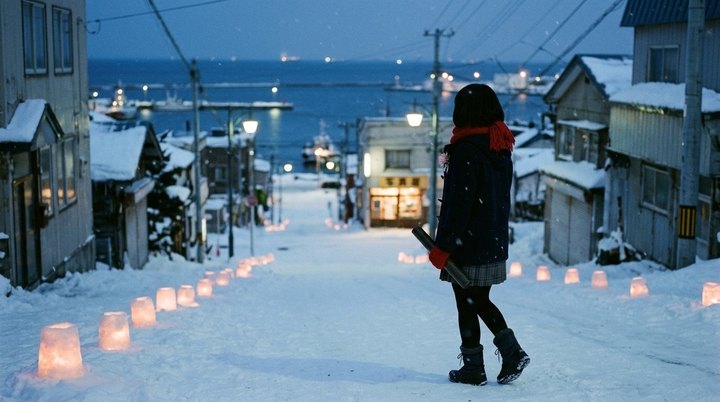
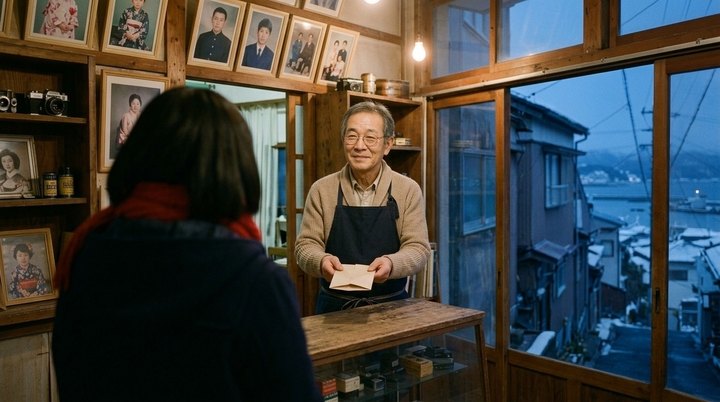
The agent walks the graph depth-first. It starts from the shot's own references and from every film-wide or part-level definition in scope, and it outputs each definition after the ones it depends on:
const resolve = (def: Definition) => {
  if (seen.has(def)) return // each once, so cycles stop
  seen.add(def)
  referencesIn(def.description).forEach(resolve)
  ordered.push(def) // after everything it uses
}
;[...shot.references, ...inScope(shot)].forEach(resolve)
The prompt lists the definitions in this order. So by the time the model reads that a photo shows a character on a train, it already knows who that character is.
The graph is worth keeping after the shot is made, too. Read in reverse, it shows what a change affects: if a character changes, every shot that uses them, directly or through a photo, is now out of date. Section 3 comes back to this.
Choosing the reference images
Resolving a shot often turns up more definitions than the model has slots for reference images. So the agent must choose which reference images to include to make the most accurate image or video. In our experiments, two rules worked well.
The first is to include the scene so far. When the agent generates a new image, it adds the images of the scene's earlier shots, so the place, the light and the people stay the same. This was the largest consistency improvement I measured: on the test scenes, it cut continuity breaks from 54 to 20.
The second is for videos. A video starts from its first frame, which already shows everyone on screen. So the remaining slots should go to what that frame leaves out, such as a person about to walk in or the place a cut leads to.
Choosing the right images is only half of it. The prompt should also tell the model what to take from each one, or the model may copy the wrong thing. For example, if an image is there only for its style, the model may also copy what the image shows into the shot. So when we write the prompt, we must say clearly which part of each reference image to use:
Doki's image prompt writer
An image that is "the overall style" [...] gives only that quality ("in the art style of image 3"). Never put its content in the shot.
Text overrides images
Even with the right reference images, the words of the prompt can undo them, because image and video models follow the words more closely than the images. If a character's reference shows red boots but the prompt says yellow boots, the model draws yellow boots. Models also sometimes ignore the reference and draw from the words alone, so a character described only by her green cardigan can come out as a different woman in that cardigan. So the prompt should never add looks to anything that has a definition, and it should describe each character by who they are (age, face, hair and build) before what they wear.
Cuts inside a video have the same problem. When a video model generates several shots in one clip (Section 2), only the first shot has an image to start from, so the shots after a cut are drawn from the words alone and drift from the film's look. In our test, black-and-white scenes turned to color after the cut in 3 of 6 clips, and in none once the prompt repeated the look at every cut:
Doki's video prompt writer
The video model draws each later shot afresh and drifts from the film's look unless told it, so open each shot after the first with the look in a few words [...] ("cuts to a close-up, in the same high-contrast black and white: …").
2. Shot Planning
Definitions make each shot look right. But a film also has to flow from one shot to the next, and that depends on how the shots are generated.
A film is a series of shots. Each shot is one continuous view, and a cut switches to the next one. A scene is a run of shots that tell one part of the story, usually in one place. A video agent usually plans each scene as a shot list, with the words for every shot and a keyframe, the storyboard image the shot should open on. Then it calls the video model, and each call, or generation, returns one clip.
Most video agents make films that look like a slideshow, because they generate one clip per shot and stitch the clips together. Each clip starts over from its keyframe, so the motion and sound restart at every cut. In Doki Agent, we introduce a shot planner instead. It decides which shots to generate together in one clip, and where to split a long scene into several clips.
Which shots go together?
The planner builds on what newer video models can do. They can generate several shots in one go and cut between them, and inside one generation the people, the light, the motion and the sound carry across each cut. In my tests, scenes generated this way beat scenes generated one shot at a time in most comparisons, with about a third fewer continuity breaks (16 against 24).
But each model can only generate so much at once. Some make only one shot per generation. MiniMax H3 makes up to 15 seconds of shots, and Seedance 2.5 up to 30. A scene longer than that needs several generations, so the agent has to decide which shots go together.
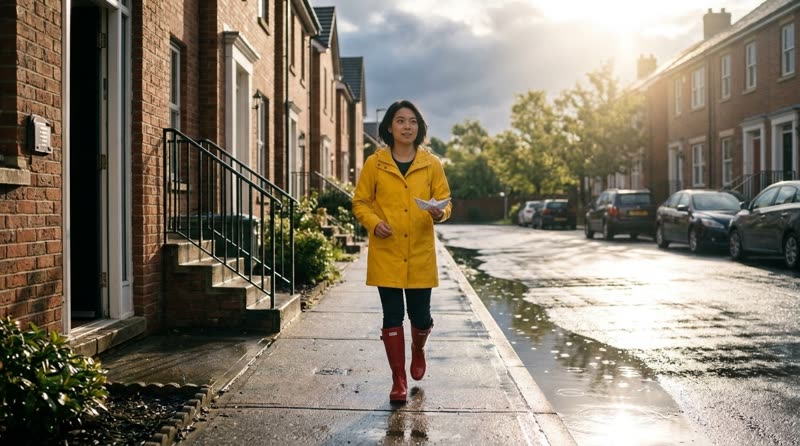
Take a scene of four shots from another short film. At night, a woman named Mia folds a paper boat (shot 1) and sets it on the windowsill (shot 2). The next morning, she runs out (shot 3) and lets it go on a puddle (shot 4). The four shots run 19 seconds, too long for one MiniMax generation. The naive answer is to pack each generation full: shots 1 to 3 fill the first 15 seconds, and shot 4 gets a generation of its own.
The packed film doesn't look continuous. The first generation carries the night on into the morning, so the morning opens in last night's kitchen. And the split falls in the middle of her run, so she is running at the end of one clip and suddenly crouching at the start of the next. Another strategy fixes both: split the scene where it jumps to the next morning, so shots 1 and 2 make one generation and shots 3 and 4 the next. Then the new generation opens on the morning's keyframe, and her run and crouch stay in one generation.
Packed full[1 2 3] [4]
- ✗ The morning opens in the kitchen
- ✗ She is running, then suddenly crouching
Split at the jump[1 2] [3 4]
- ✓ The morning opens on its keyframe
- ✓ She slows and crouches in one move
So this is a planning problem: keep shots in one generation where the story flows, as when a cut falls in the middle of an action, and start a new generation where it jumps.
How the planner works
The planner uses a vision-language model (VLM) and a dynamic programming algorithm, each for what it does well. The VLM (we use Gemini) looks at the keyframes and judges what each cut and shot needs, which takes taste. Dynamic programming then picks the grouping, an optimization with hard limits that language models are bad at. On 11 hard scenes, plans made this way passed all 32 checks of where those scenes should and shouldn't be split, while plans that Gemini wrote directly passed 79 to 85% of the same checks. It works in three steps.
First, a VLM reads the shot list. It looks at each shot's words and keyframe, and rates two needs from 0 to 3: how much each cut needs the shots on both sides to flow together, and how much each shot needs a fresh start on its own keyframe.
Doki's scene reader
Each cut: how much the shots on both sides need to flow together
- 3one moment that can't break - a line of dialogue answered, an action caught mid-way, a sound that runs across the cut, or two nearly identical views that would jump if made apart
- 2the same moment and place, closely linked - a reaction, a detail of what was just shown
- 1the same scene, but a cut there could start afresh - a new beat, a new angle on a calmer moment
- 0a new place or time, or a deliberate break - nothing needs to carry over
Each shot: how much it needs to open exactly on its keyframe
- 3it must be exact - a photo the user supplied, text or a logo that must read, a product shot
- 2a key image - a reveal, an entrance, a composition the story relies on
- 1it helps - a clear new framing worth keeping
- 0any close framing will do - a reaction, an insert, a continuation of the shot before
These ratings describe the film, not the video model, so one reading works for any model. The keyframes matter, too: rated from the words alone, the same scenes passed only 28 of the 32 checks.
Second, each video model gets its own penalties. How much the film suffers when a new generation starts at a cut, or when a shot misses its fresh start, depends on the video model, so each model needs its own penalty for each rating. To measure them, I generated the same test scenes two ways, in as few generations as possible and with one generation per shot. A judge model then scored each cut and shot that came out differently, from 1 to 10, and the difference in score is the penalty. For MiniMax H3, starting a new generation at a cut rated 2 or 3 cost about 1.2 points, and so did a shot rated 2 or 3 that came mid-generation instead of getting a fresh start. Ratings of 0 and 1 cost nothing, within the noise of the measurement.
Third, dynamic programming finds the grouping that loses least, much as a text layout engine breaks a paragraph into lines. A scene of n shots can be grouped in 2n−1 ways, and the algorithm finds the best one that fits without listing them all. Let best[j] be the least a plan for the first j shots can lose. The last generation of that plan covers some shots i+1 through j, so:
best[j] = mini < j ( best[i] + S(cuti) + Σ F(shotk) + λ · price(i, j] )
- S(cuti)
- a new generation at the cut before shot i+1
- Σ F(shotk)
- each later shot that does not get a fresh start
- λ · price
- the generation’s price in dollars, at half a point a dollar
| Penalties measured for MiniMax H3 | 0 | 1 | 2 | 3 |
|---|---|---|---|---|
| S, a new generation at a cut of that level | 0 | 0.1 | 1.2 | 1.3 |
| F, a later shot of that level | -0.1 | -0.1 | 1.2 | 1.2 |
Levels 0 and 1 are within the noise of zero: they cost nothing.
In words, each generation adds three things to the plan's loss. S is the penalty for the cut where the generation starts, because the shots on both sides of it no longer flow together. F is the penalty for each shot after its first, because those shots don't get a fresh start on their keyframes. The last term is the generation's price in dollars, counted at half a point a dollar, so money matters a little too. The boat scene can be grouped eight ways, and seven of them fit in MiniMax's 15-second generations. Those seven plans are built from nine possible generations, drawn below as arcs, and the algorithm weighs them all. You can click a rating to see the plan change:
1 · 6s
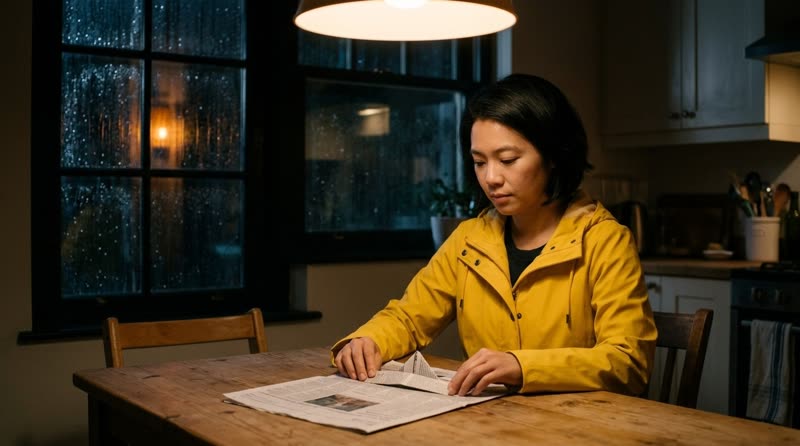
Night, rain: she folds a paper boat
2 · 5s
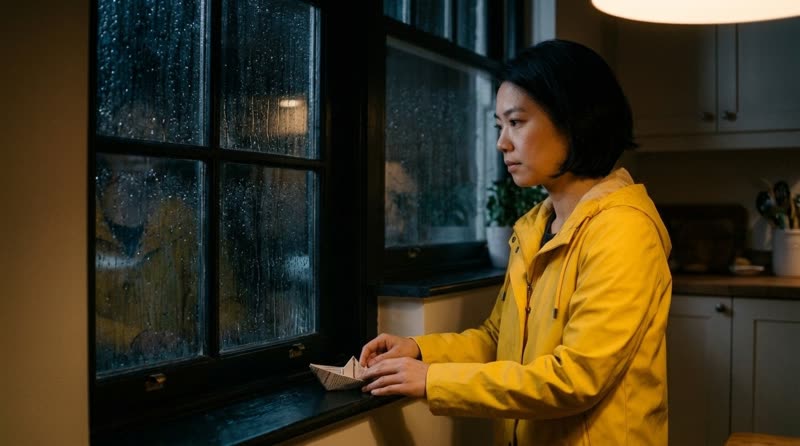
She sets it on the windowsill
3 · 4s
Next morning: she runs out
4 · 4s

She lets it go on a puddle
The plan · MiniMax H3
11 s
8 s
None of this reaches the agent that writes the script. It writes each scene at the length the story needs, and leaves it to the planner to turn the scene into generations.
What the plan does
Back to the boat scene. For MiniMax, the planner picks the split from Fig. 2: shots 1 and 2 make the night, and shots 3 and 4 the morning. The split is not free, because shot 4 now comes mid-generation and only lands near its keyframe. Splitting her run instead would lose just as much and need a third generation, so the cheaper plan wins.
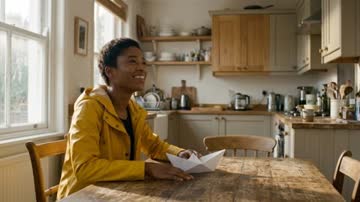
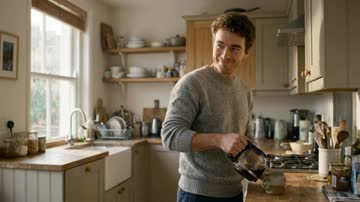
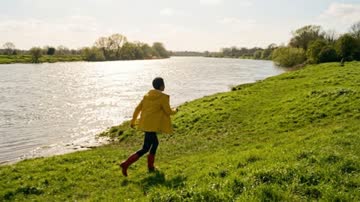
A longer scene shows the same logic at a larger scale. It has ten shots in three parts: a morning in the kitchen, a long stretch at the river, and an evening downstream. Packing makes both mistakes again. For MiniMax, the plan starts fresh at both jumps in time, and splits the river part where the boat drifts away from her. Seedance gets a different plan from its own penalties. A new Seedance generation loses about a point at any cut, whatever its rating, so its plan uses as few 30-second generations as fit and keeps the kitchen and the river together:
Morning · the kitchen
Later · the river
Evening · downstream
1

2
3
4
5
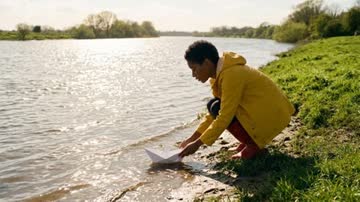
6
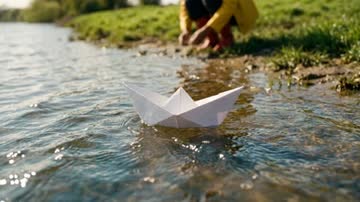
7
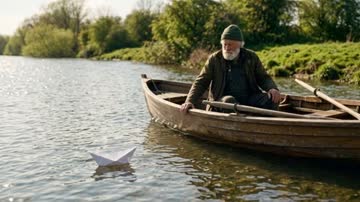
8
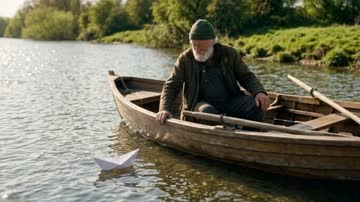
9
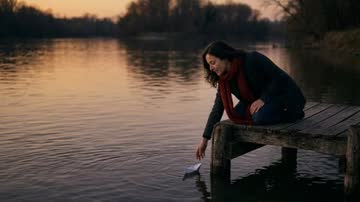
10
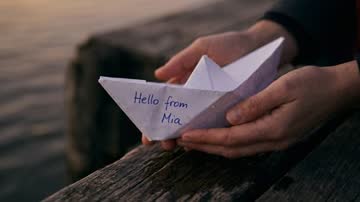
Packed full · MiniMax H3
✗ the river opens mid-generation
✗ her run is split
The plan · MiniMax H3
↑ fresh start
↑ the boat drifts away
↑ fresh start
The plan · Seedance 2.5
Writing each generation
With the plan set, the agent can finally generate the images and videos. Each generation needs two prompts: an image prompt for the keyframe it opens on, and a video prompt for its motion. We learned a few things that make a big difference in how these turn out.
The keyframe should show the first instant of the shot, not its most telling moment, because image models draw any action the prompt names as already done. "She walks to the porch, crouches and watches the kitten" comes out with her already crouched, and the clip has nothing left to play. One fix is to have the prompt writer first name the opening instant on its own line (OPENING: she reaches the porch steps), and then describe the keyframe as a still photograph of it:
Doki's image prompt writer
The image model draws whatever the prompt names as done: an action's verb, even with "starting to" or "about to", comes out finished ("starting to sit" comes out seated) [...] So write the prompt as a still photograph of that instant, in states rather than actions: where each person is, where their hands, gaze and weight are, and where each object is.
The video, in turn, should keep moving through its cuts. Video models tend to slow to a stop at the end of a clip, so the video prompt writer is told what that does to the film:
Doki's video prompt writer
A clip that slows to a stop before its cut makes the film halt there, and when every clip does, the film plays like a row of stills. So [...] keep the action and the camera moving through the last second [...]
Finally, each video model needs the plan in its own syntax. So keep the plan itself independent of the model, as a list of shots with their timings, and write it out differently for each one. MiniMax, for example, ignores timed spans such as [2-4s] cut to … and often cuts at about two seconds regardless. Written in its own shot-list syntax, as in the plan's morning generation, it cuts within a few hundredths of a second of each timestamp. The prompt also follows Section 1, describing Mia by who she is before what she wears:
The morning generation's video prompt, in MiniMax's shot-list form
- [Shot 1]Full shot, tracking backward. Mia, a young woman with short black hair wearing a yellow raincoat and red rain boots, jogs forward down the wet sidewalk holding a folded newspaper boat …
- [Shot 2]At 00:04.000, the camera cuts to a medium low-angle shot, as in Image 1: Mia crouches by the curb beside a large street puddle …
3. Incremental Editing
A long film is never right on the first try. A character's hair changes, a planet should be frozen, a line of dialogue is added. The obvious response is to regenerate every shot a change touches, but regeneration is a gamble: in my logs, it fixed the flagged problem only about half the time. It also throws away what was already right, such as the camera angle, the faces and the take the user approved.
A better way is to treat the film like a software build: track exactly which assets are out of date, rebuild as little as possible, and edit wherever you can. Editing is a real option now, because current image and video models can edit. Given an image or a clip and an instruction, they change what was asked and keep the rest.
Staleness is a diff
To know what is out of date, the agent records the inputs that made every image and clip: the shot's text, its definitions, its reference images, and for a video, its keyframe and timing. An asset is stale when its record no longer matches the current film, and the difference says why. Say a film is set on Mars, and the user decides the planet should be frozen instead of red. Every shot of Mars now differs from its record, with the reason "@Mars changed". And because definitions are resolved through the graph from Section 1, the change also reaches every shot that uses Mars indirectly.
Keep, edit or remake
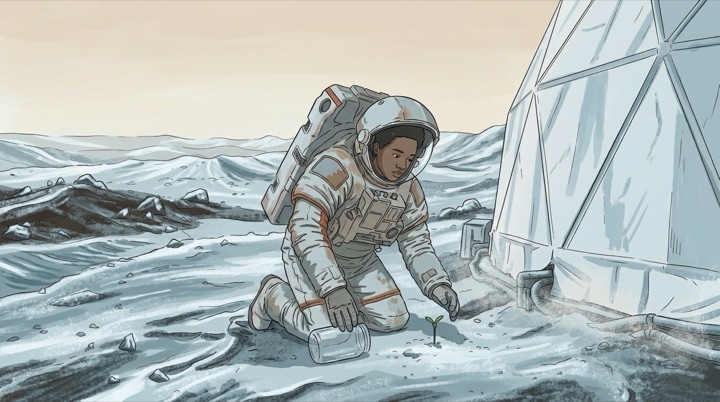
Knowing that a shot is stale does not say what to do about it. For each stale image or clip, a fast model compares the recorded inputs with the shot's new state, and decides whether to keep the asset, edit it or remake it. For the frozen Mars, a remake would redraw the whole shot, while an edit freezes the ground and keeps her pose and the framing:
Place@Mars=Endless red frozen dunes …
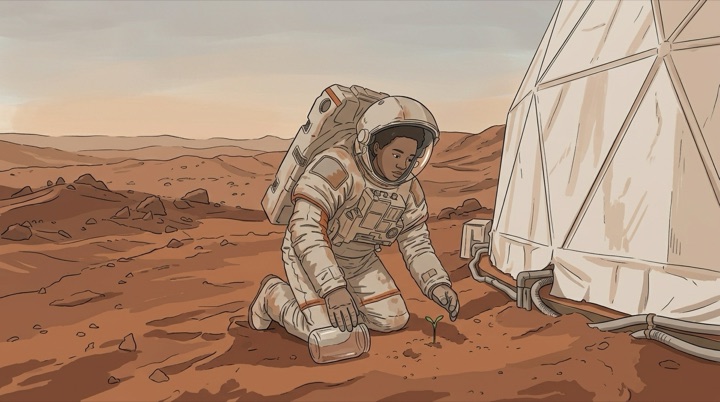
Before
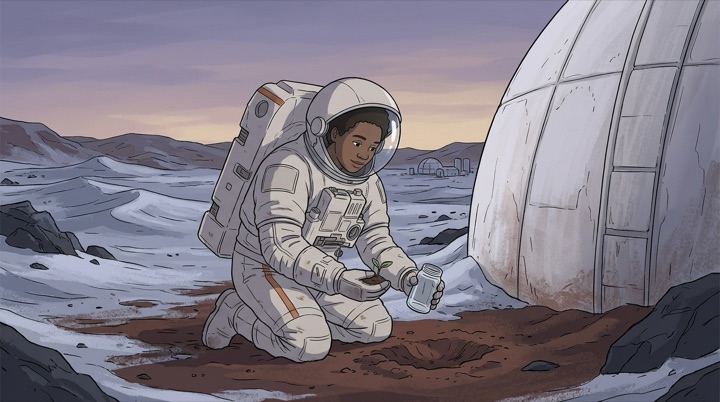
✗Made again: everything changed
✓Edited: the pose and framing stayed
@Mars=endless  New lines of dialogue in a shot of another filmkeepremake
To make that call, the judge has to know what an edit can do, so most of its prompt is about exactly that:
Doki's update judge
An edit does a change that sits in the picture: a color, clothes, hair or makeup, an object added, removed or swapped, the state an object is in, an expression, the light, the weather or the time of day, written text, the style. [...] It can't move the camera or change the framing, move people, change what they do or how they move, or set the shot somewhere else; in a video it can't change what is said, the voices or the timing.
On 62 labeled cases, the judge chose correctly 61 times. For video edits, use a model that keeps the original take, such as Gemini Omni, which changes what was asked and keeps the motion frame for frame.
Start with the smallest fix
Shot planning makes fixing a shot a little harder. When several shots share one generation, they come out as one clip, so it can seem that changing one shot means generating the whole clip again. Usually it doesn't, as long as the agent tries the cheapest fix first.
The cheapest fix is a trim. If a hand warps for half a second, cutting that half second out costs nothing and leaves the rest of the shot as it was. Next is an edit, which can run on the changed shot's part of the clip alone and leave the shots around it as they were. Only when neither works does the agent remake, and even then it regenerates just the neighboring shots that need new video, not the whole scene. That still has a cost: it adds a new split between generations, and the motion no longer carries across it.
So give the agent a trim tool, and have it try the fixes in this order. And keep every version, so a remake that turns out worse can be undone.
4. Review Loop
Most agents, video agents included, already have some kind of review loop: a model checks the output, and the agent fixes what it flags. For a long film, what matters is how the loop is designed: what it reviews, when, and what it asks the agent to change.
Review every stage
A film can go wrong at every stage of its making: in the script, in each image and clip, across the storyboard, and in the finished film. A problem in the script is much cheaper to fix before any video exists. So the loop should review each stage as soon as it is made, and run automatically instead of waiting for the agent to ask:
The script is written
1Script review
The script, read the way a viewer will see the film
Each image or video is made
2Shot check
Each new shot, next to its neighbors and its references
Every shot has a picture
3Storyboard review
All the pictures in order, as one storyboard
Every shot has a video
4Film review
The finished film with sound, watched first by a viewer who has not read the script
In tests on storyboards, those made with these reviews won 16 blind comparisons by a judge model and lost 3 against those made without them, and had about a fifth fewer continuity breaks.
Watch what is on screen
Most continuity breaks happen during generation, such as a cut that forgets where someone was standing or a prop that changes shape. A review that reads only the script cannot see them: in my tests, a text-only checker flagged many issues in the scripts and changed nothing in the films. So the reviews should watch the output itself, as whole clips with sound rather than still frames. When a review watched whole clips, 95% of its findings turned out to be true; from three still frames per clip, only 70% did. Only whole clips revealed a bicycle rolling backward, a hand that never lets go of a cup, or a voice that changes between shots.
The first-time viewer
The review I found most useful is what I call the first-time viewer. It works like a test screening: a separate model watches the finished film without seeing the script or the user's request, and says what it understood. A reviewer who has read the script fills in story details that the screen leaves out. The first-time viewer has only the video and its sound, so wherever its account differs from the script, the film is failing to tell the story:
Doki's first-time viewer
Say what you understood, in plain words: [...] What you couldn't follow: who someone is or is to someone else, why something happens, where things are, what something means, what comes out of nowhere, what you expected that never came - each with its shot.
Keep the fixes small
Reviews can also make a film worse. Left alone, the agent answers story feedback by adding events to the script, and clips with too much happening break more often. So each review should ask for fixes that fit the shots the film already has. The loop also needs a limit, such as three reviews per shot, so the agent does not keep remaking a shot to satisfy its own critiques.
5. Describe, Don't Prescribe
Looking back, one principle runs through the prompts of all four components: describe to the agent how the models behave and what the film needs, instead of prescribing rules. When a prompt explains how things work, the agent can reason about situations the prompt never anticipated. When a prompt gives a rule, the agent follows it literally, even where it no longer applies. Here is the difference on one choice the agent makes in every film, how one shot gives way to the next:
Prescribea rule
Use a straight cut unless the story needs a transition.
Fade in at the start of the video and fade out at the end.
✗ A video of one tense dialogue scene fades in and out too
Describewhat each option does
How one shot gives way to the next is an editor’s choice. Without one, it’s a straight cut.
DISSOLVE TO: the shots blend into each other over 1s, overlapping, so the video gets 1s shorter.
FADE TO: through black. Before the first shot it fades the video in, and after the last shot it fades it out.
✓ No misplaced transitions on the same requests
The rule works for most films, until it meets one it was not written for. Prescriptions backfire in a few predictable ways. Rules get applied blindly, like the fade rule above. Examples get copied: one sample scene that cut from a wide shot to a close-up made the agent open twice as many scenes that way. Numbers become targets: told that a scene could run up to 15 seconds, the agent cut its scenes to fit. And categories leave the agent to judge what fits: asked to define the key objects, the agent decided that a coin and a scarf were not key.
So each fix in this post is a description instead. The agent learns that the models redraw anything without a definition, what a stop before a cut does to the film, and what an edit can and cannot change. Then it decides for itself. The prompts still end in plain instructions, such as "Never put its content in the shot", but each instruction comes with the reason behind it, so the agent can tell when it applies.
Looking ahead
None of these ideas is tied to Doki. Whether your agent is a chat agent calling a video API, a node-based canvas or a timeline editor, making a long film means coordinating dozens of separate generations. So it needs the same four parts: a definition system, a shot planner, incremental editing and a review loop. Video models will take over some of this work as clips grow longer, reference limits rise and editing improves. Even so, a film will still be made of many separate generations, and the agent will still not watch the result unless the harness makes it do so.
I am still working through many of these problems. If you are building a video agent too, I would love to hear what has worked for you. Doki's interface is also super interesting, and I will cover it in a separate post. You can try Doki with your own API keys at doki.mov, and our paper with Mira Dontcheva and Dingzeyu Li appears at UIST 2026.
Links
- Models: Seedance 2.5 (ByteDance Seed), MiniMax H3, Gemini Omni Flash (Google)
- Tools: Firefly Boards, FLORA, TapNow, LibTV, Claude Code (Anthropic)
- Research: VideOrigami (Cao et al., CHI 2025), VideoDirectorGPT (Lin et al., 2023), MovieAgent (Wu et al., 2025), Long Context Tuning for Video Generation (ICCV 2025), HoloCine (2025), Doki (Liu et al., UIST 2026)